24.11.2026 · 5 min read
Your dashboard is moving into the chat
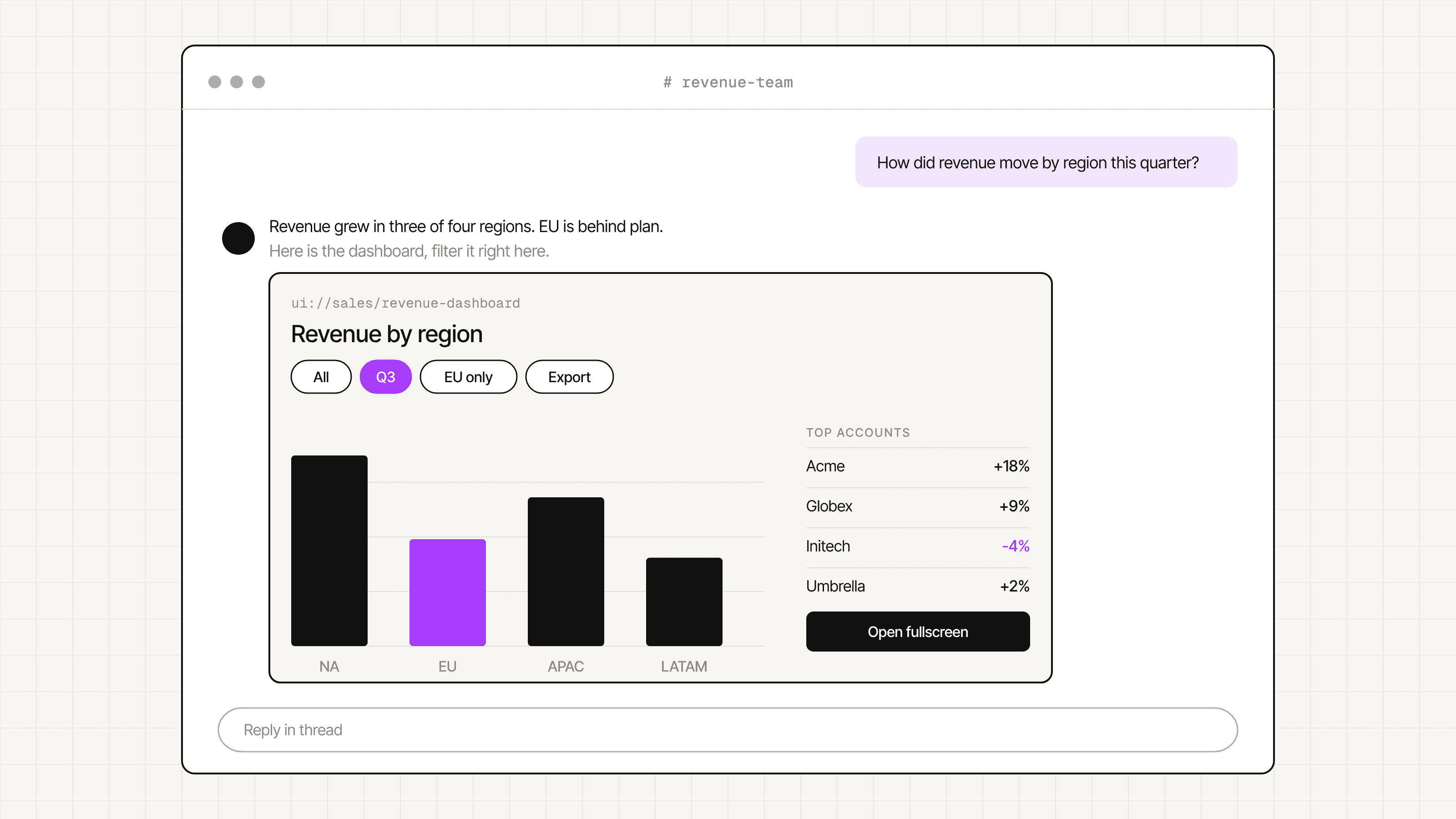
Do you still need to open a dashboard, a separate web or phone app with its own login and filters, to see your data and answer one question, when you can just ask in the chat you already work in? Mostly not.
Dashboards are moving out of their own browser tab or phone app and into the chat. The product exposes its data and actions over MCP, and the dashboard renders as interactive UI inside the conversation: in Claude, ChatGPT, Microsoft 365 Copilot or Slack, with Teams on the way. The chat becomes the layer people work in, and the web app becomes one of the places the same view can show up.
The pieces for this shipped this year. It is not free, though. A bot that can act can also be tricked into acting. I come back to those risks below, because they decide how fast this can go.
Why the chat wins
A lot of questions about a business start in a chat. Why did revenue drop last week? Is the deploy done? Which customers are stuck? Today the answer is a link to a dashboard in another tab. You open it, find the right filter, lose the thread, and paste a screenshot back.
That is backwards. The question was asked in the chat, so the answer should show up there. Not as a wall of text from a bot, but as the real thing: a live chart you can filter, a table you can sort, a button that does something.
What MCP is
If you already know MCP, skip this part. MCP is an open standard, started by Anthropic, that lets an AI app connect to your tools and data the same way everywhere. You put a small server in front of a system you already have, such as a billing system or a project tool. Any chat that speaks MCP can then use it. Ask for a customer's last invoice, and the bot fetches it through that server and answers in the thread.
How it gets there
MCP started as a way to give models tools. A tool could query your database and the model would summarize the rows in text. That works for one question. It breaks the moment you want to explore, because every filter becomes another prompt and another wait.
This year MCP got an answer for that: MCP Apps. A tool can now ship its own small interface. When the bot calls it, the chat renders that interface right in the conversation, in a sandbox. You click, filter and drill down in the card, and the card can tell the bot what you selected, so you can keep talking about it.
The important part is that you build it once. The same MCP server and the same view render in ChatGPT, Claude, Microsoft 365 Copilot and Slack, and Teams is adding it now. Your own web app becomes one place among many where the view can show up.
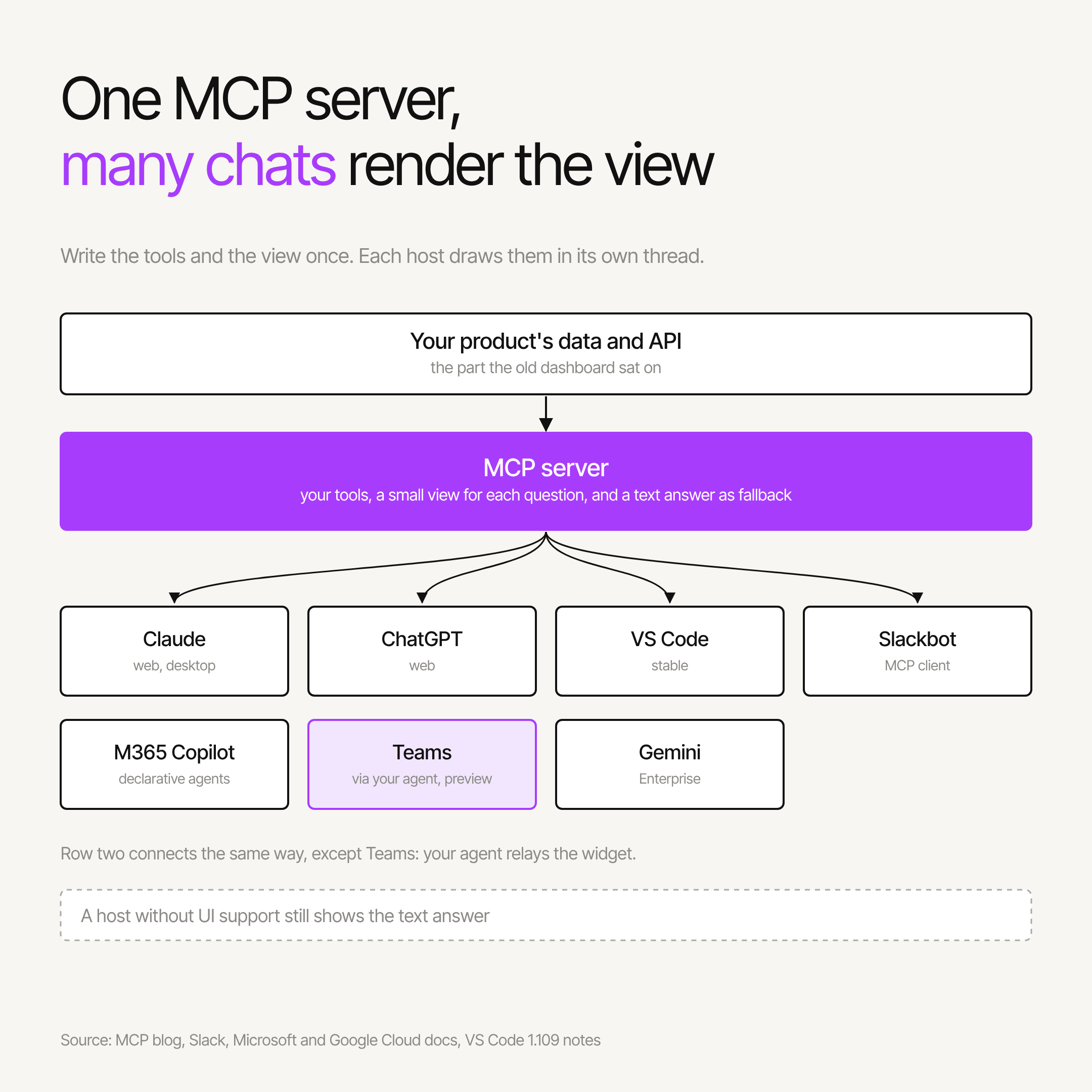
Build the server and the view once, and each chat renders it in its own thread.
The risks
A dashboard in a chat sits next to data you care about.
Text that tricks the bot. Text from the view or a tool can reach the bot. A bot that can act can be talked into acting.
Too much access. Give each connection only the access it needs. Anything that writes or spends should go through the chat's own confirm step, not a button drawn in the card.
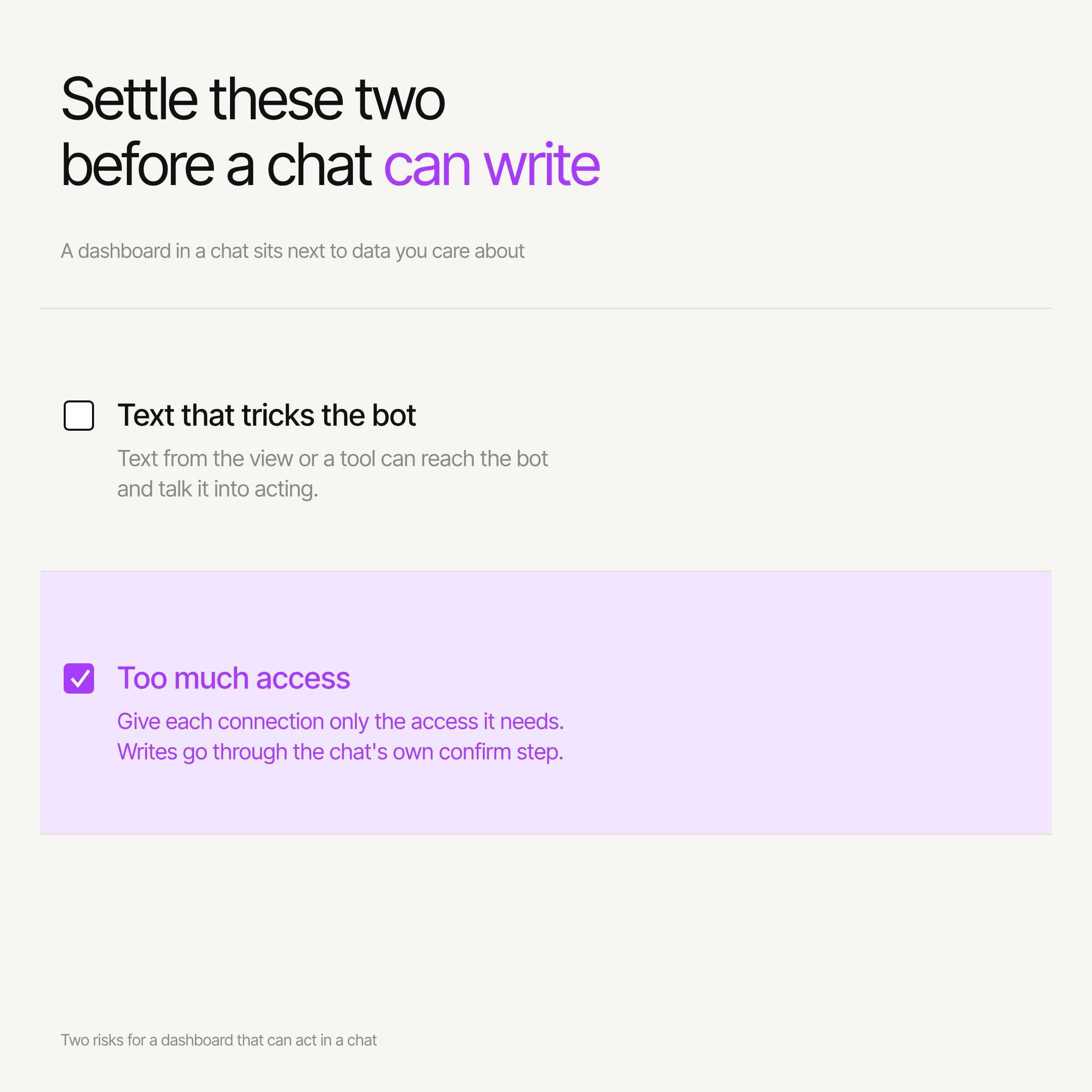
Settle these two before a write action goes into a chat.
Where this goes
This will happen, faster than most dashboard teams expect. The single-question dashboards move first. The big analytics app stays for deep work, but most people will reach it through a card in a conversation.
And it goes past dashboards. In Teams, someone on the business side asks how a discount is calculated or why an order got blocked. A bot with access to the codebase reads the business logic in the code and answers in the thread, with the rule shown as a card. It only reads the code, never changes it, and cites the file it read so people can check the answer. No dashboard built for it, no developer pulled away to go look it up. The code becomes something the whole company can ask questions about, right where they already talk.
The same applies to data. Someone asks how last week's orders broke down by region. Instead of waiting for an Excel export, they get a live table in the chat. They can filter it there. Claude already does a version of this with Hex, a data tool: ask a data question, and the answer shows up as interactive charts and tables in the conversation.
It also applies to everyday tools. Ask about a project, and Claude can open the Asana board in the thread. You can check off tasks without leaving the chat.
That is why I would build MCP first. If your data and actions live behind MCP, any bot you connect can use them, not only the screen you designed. And that makes room for bots as coworkers. They can already join meetings, so the same bot that answers in a Teams thread can sit in the call, pull up the numbers when someone asks, and pick up the work that was decided.
So, do you still need a dashboard to see your data? Not as a place you go to. You still need the data, the tools on top of it and someone who owns them. But the dashboard stops being an app you open and becomes an answer that shows up where you asked the question.
Shopping will change the same way, with the product page as a card in the chat. That is for a later article.